> For the complete documentation index, see [llms.txt](https://docs.intelligems.io/llms.txt). Markdown versions of documentation pages are available by appending `.md` to page URLs; this page is available as [Markdown](https://docs.intelligems.io/general-features/common-use-cases/ready-to-run-tests/find-your-optimal-free-shipping-threshold.md).
# Find Your Optimal Free Shipping Threshold
Use this Ready-to-Run Test to discover the free shipping threshold that maximizes profitability for your store
[Why Run This Test](#why-this-works) | [VIDEO: How to Run This Test](#how-to-build-this-test-in-intelligems) | [Step-by-Step Guide](#step-1-determine-your-test-thresholds)
### What's a Free Shipping Threshold Test
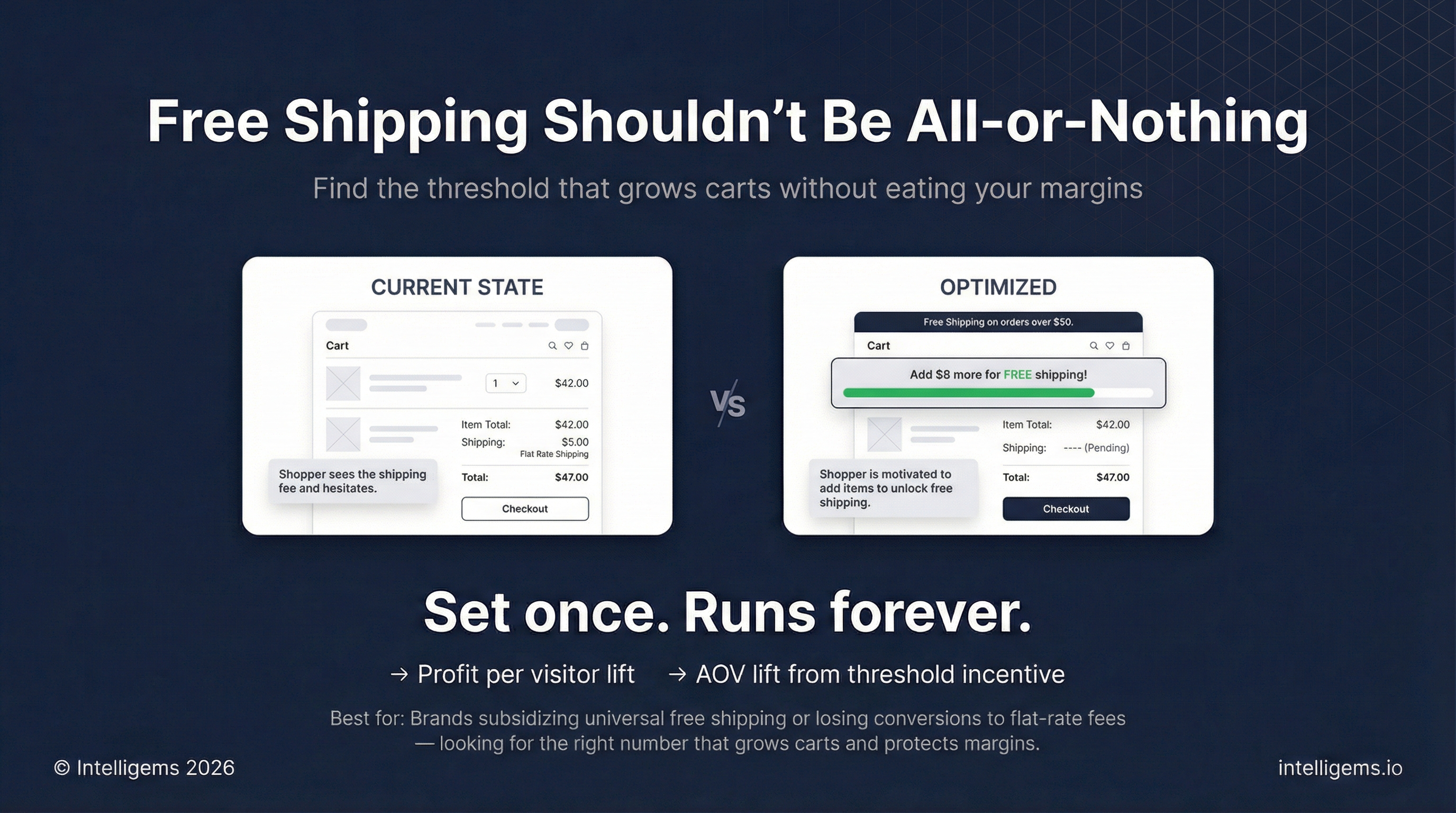
A free shipping threshold test measures the effect of offering free shipping at a specific cart value compared to your current shipping strategy. This test helps you find the sweet spot between increasing conversions and protecting margins.
The test compares two groups:
* **Control group**: Your current shipping strategy (e.g., $5 flat rate on all orders)
* **Test group**: Free shipping when cart reaches a specific threshold (e.g., free shipping over $50)
This allows you to quantify whether a free shipping threshold drives enough incremental revenue and larger cart sizes to offset the shipping subsidy.
### Why This Works
Free shipping is consistently ranked as one of the top factors influencing purchase decisions, but offering it universally can erode margins. A threshold-based approach creates the best of both worlds:
* Increases conversion rates by removing a major purchase barrier
* Encourages larger cart sizes as shoppers add items to reach the threshold
* Protects margins by only subsidizing shipping on higher-value orders
* Creates a clear value proposition that's easy to communicate across your site
The key is finding the right threshold.
Set it too low and you subsidize shipping on orders that would have converted anyway.
Set it too high and shoppers won't adjust their behavior to reach it.
{% hint style="info" %}
The optimal free shipping threshold typically falls between your current AOV and +/- 20% above it. Shoppers are often willing to add 1-2 additional items to unlock free shipping.
{% endhint %}
### How to Build This Test in Intelligems
{% embed url="" %}
#### Step 1: Determine Your Test Thresholds
Before setting up your test, review your store's Order Value Distribution in [Sitewide Analytics](https://app.intelligems.io/sitewide-analytics/order-distribution) to identify natural clustering points.
**For this example:**
* Control: $5 flat rate shipping on all orders
* Test: Free shipping on orders over $50
Choose your threshold based on:
* Current Average Order Value
* Shipping cost per order
* Product margins
* Where orders cluster in your distribution
#### Step 2: Create Your Offer Test
1. Go to **Tests → Create New Test**
2. Select **Offer**
3. Name your test: "Free Shipping Threshold $50 "
4. Click **Create**
#### Step 3: Set up Groups
1. Name the control: "Control - $5 Flat Rate"
2. Leave the control with no modifications (your current Shopify shipping rates will apply)
3. Name the test group: "Free Shipping Over $50"
4. Click into **Modifications** tab
#### Step 4: Configure Test Group Offer
1. Select your test group tab, click **+ Add offer**
2. Choose **Free Shipping**
3. Click **Configure Offer**
#### Step 5: Configure Free Shipping Offer
1. **Add discount name** shown in cart/checkout: "Free Shipping!"
2. **Check the box for Minimum Purchase Requirements** since we only want free shipping to be eligible on orders over $50
3. In the dropdown, select **Subtotal of items**
4. Type in **50**
5. For **free shipping configuration**, select **Powered by Intelligems** so Intelligems will automatically apply the free shipping discount on the backend
6. **Limit ship-to countries**: Select **United States** (or your desired countries)
7. **Choose eligible rates:**
* Select **Limit to rates by name**
* Set the rate name to exactly match your standard shipping method: **Standard Shipping**
* To double check, you can go into your Shopify shipping profiles and find the rate name that you want to replace
{% hint style="success" %}
Now, any orders over $50 in the test group will get free shipping on the standard shipping profile.
{% endhint %}
#### Step 6: Add Components (Recommended)
On the right side, you have the option to **Add Components**. These components are available out of the box inside Intelligems. [Learn more](/merchandising-experiences/offers-integrating-widgets.md).
You can add a **Progress Bar** to your mini cart, or you can add an **Offer Message** that will show on your homepage.
In this case, let's add an **Offer Message**:
1. Click **+ Add component**
2. Select **Offer Message**
3. Set the title: "Free shipping on orders over $50"
4. For the description: "Automatically applied at checkout" - this lets shoppers know they don't need to add a discount code or do anything
5. For **Color & Style**, match your brand theme
6. Click **Confirm Changes**
{% hint style="warning" %}
Progress bar not showing up? Confirm our progress bar code snippet `` has been added to your cart theme code. [Follow these steps](/merchandising-experiences/offers-integrating-widgets/progress-bars.md#integrating-the-progress-bar).
{% endhint %}
#### Step 7: Review and Save
Back in the Modifications tab, you can see the offer is set up. Double check:
* Discount name
* Minimum purchase requirements
* The message that will show on the homepage
Click **Save**.
#### Step 8: Add Optional Content Edits
If you'd like to make any other changes, like maybe updating your announcement bar to say "Free shipping on orders over $50", or to add that language in more places across your site:
1. In the top right, click **+ Add Modification**
2. Select **Content Edits**
3. Use the onsite editor widget to make any changes you'd like to support the free shipping messaging
4. Once you've made those changes, click **Save**
#### Step 9: Add Targeting & Preview
1. In the **Targeting** tab, like any other test or personalization in Intelligems, you can choose who sees this test
2. In this case, we want to show it to all traffic, which is set by default.
3. Click **Save**
4. **Preview** your test on mobile and desktop
5. Add items to cart and verify:
* Offer message appears on homepage
* Free shipping applies when threshold is reached
* Discount name shows correctly in cart/checkout
6. **Start** your test or schedule it to start and stop at a later date
#### Step 10: Review Results
After your test reaches statistical significance (typically 2-4 weeks depending on traffic), review the **Results** tab and roll out the winner as a **Personalization**.
#### How to Measure Impact
* **Conversion rate lift**: Are more visitors completing purchases?
* **Average Order Value (AOV) lift**: Are carts getting larger to reach the threshold?
* **Revenue per visitor lift**: Overall impact on revenue
* **Profit per visitor lift**: The most important metric - does the revenue increase offset shipping costs?
* **Shipping revenue per order**: Track the cost of the subsidy
{% hint style="info" %}
Use the AI summary or Chat about your results to get deeper insights into your performance.
{% endhint %}
#### Roll Out as a Personalization
If the test wins:
1. Click **End Test**
2. Select the winning variant
3. Click **Publish as Personalization**
4. The free shipping offer will continue running automatically for all visitors
5. Update your site messaging (homepage banners, product pages, etc.) to communicate the new threshold
6. No ongoing maintenance required - the offer runs in the background
***
### Want Help With Setup?
Our team can walk you through this test and launch it while we're on the call. [Book a strategy call](https://meetings.hubspot.com/rohandang/intelligems-success-team)
---
# Agent Instructions
This documentation is published with GitBook. GitBook is the documentation platform designed so that both humans and AI agents can read, navigate, and reason over technical content effectively. Learn more at gitbook.com.
## Querying This Documentation
If you need additional information that is not directly available in this page, you can query the documentation by asking a question.
Perform an HTTP GET request on the following URL with the `ask` and `goal` query parameters:
```
GET https://docs.intelligems.io/general-features/common-use-cases/ready-to-run-tests/find-your-optimal-free-shipping-threshold.md?ask=&goal=
```
`ask` is the immediate question: it should be specific, self-contained, and written in natural language.
`goal` is what the user is ultimately trying to achieve, the reason they need the answer. Sharing it helps GitBook give you a better, more relevant answer. A goal is most helpful when it describes the outcome the user wants rather than restating the question. For example, with `ask=how do I create an API token`, a goal like `automate deployments from our CI pipeline` lets GitBook tailor the answer to that use case.
The response will contain a direct answer to the question and relevant excerpts and sources from the documentation.
Use this mechanism when the answer is not explicitly present in the current page, you need clarification or additional context, or you want to retrieve related documentation sections.