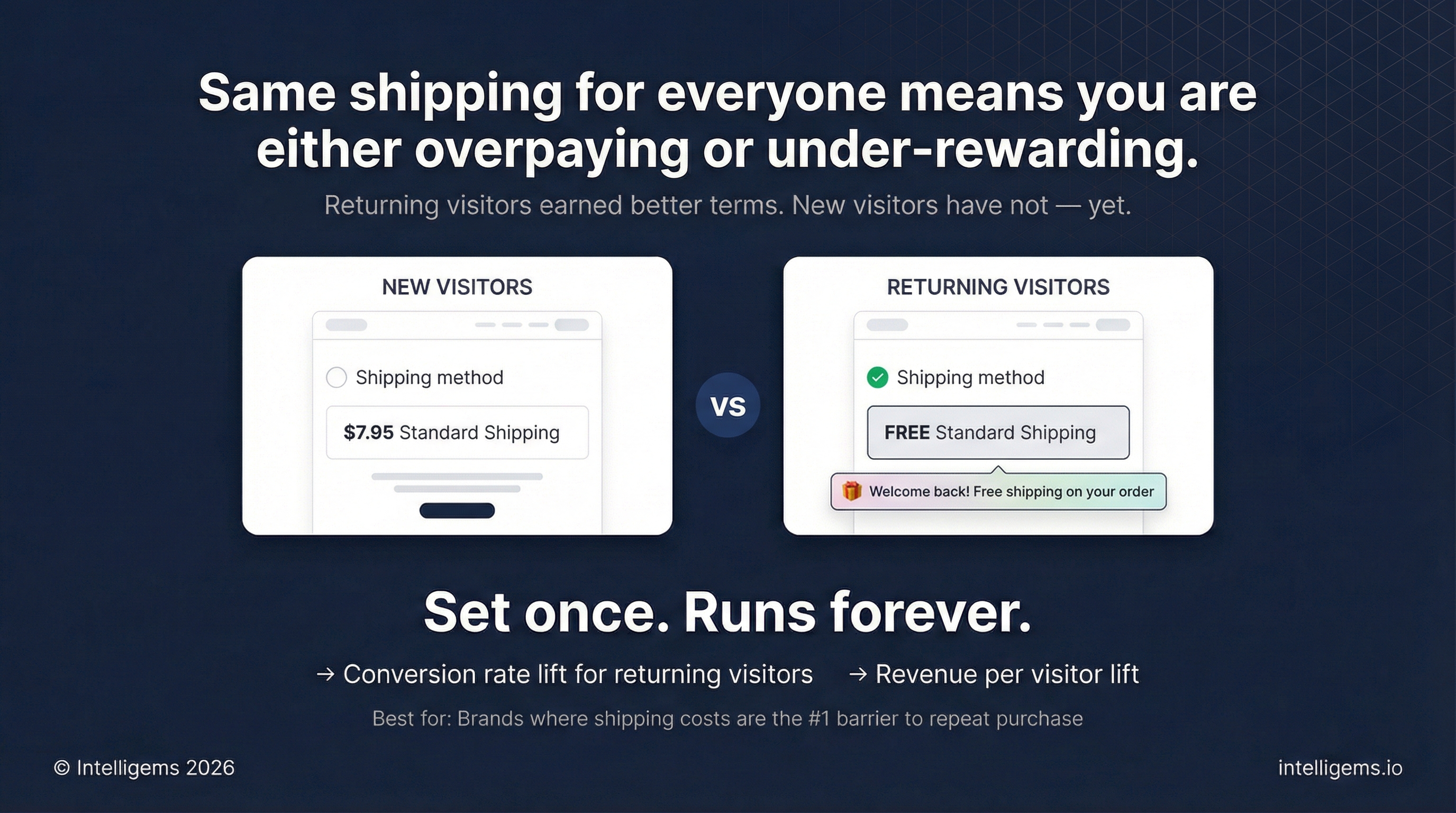
# Show Returning Visitors Lower Shipping Prices
[Why Run This Test](#why-this-works) | [VIDEO: How to Run This Test](#how-to-build-this-test-in-intelligems) | [Step-by-Step Guide](#step-1-identify-the-right-products)
## What's a Returning Visitors Shipping Offer Test
A Returning Visitors Test measures the impact of offering preferential shipping terms (free shipping or lower thresholds) exclusively to visitors who have been to your site before, while maintaining standard shipping for first-time visitors.
The test compares two groups of returning visitors:
* **Control group**: Sees your standard shipping rates or free shipping threshold
* **Test group**: Sees free shipping or a reduced free shipping threshold
This allows you to quantify whether reducing shipping friction for returning visitors drives enough incremental revenue to justify the shipping subsidy.
## Why This Works
Returning visitors have already demonstrated interest in your brand by coming back to your site. They're familiar with your products and have overcome initial trust barriers. However, they haven't necessarily purchased yet and may still be comparing options or waiting for the right moment to buy.
Shipping costs remain one of the top barriers to purchase. By selectively reducing this friction for returning visitors (your highest-intent audience), you can:
* Increase conversion rates without training all visitors to expect free shipping
* Validate whether shipping incentives drive incremental orders or just subsidize purchases that would have happened anyway
* Measure the exact profitability impact before committing to always-on free shipping for this segment
* Create a competitive advantage for visitors who are comparison shopping
{% hint style="success" %}
Based on data from similar tests, returning visitors typically convert at 2-3x the rate of new visitors and respond positively to targeted shipping incentives.
{% endhint %}
## How to Build This Test in Intelligems
{% embed url="" %}
### Step 1: Choose Your Shipping Strategy
**Option 1: Free Shipping for Returning Visitors**
* Control: Standard shipping rates (e.g., $7.95 flat rate or calculated shipping for ground / standard shipping)
* Test: Free standard / ground shipping on all orders
**Option 2: Lower Free Shipping Threshold**
* Control: Free shipping over $75
* Test: Free shipping over $50
Choose based on your current shipping strategy, how your shipping messaging shows up on the site and other marketing locations, and margin constraints.
For this example, we're going to show **Option 1: Free Shipping for Returning Visitors**.
#### Step 2: Create Your Offer Test
1. Go to **Tests → Create Test**
2. Select **Offer**
3. Name your test: "Returning Visitors - Free Shipping Test"
4. Click **Create**
#### Step 3: Set up Groups
1. Name the control: "Control - Standard Shipping"
2. If you currently have no shipping offer, leave the control with no modifications
3. Name the test group: "Test - Free Shipping"
4. Click into **Modifications** tab
5. Select your test group tab, click **+ Add offer**
6. Choose **Free Shipping**
7. Click **Configure Offer**
### **Step 4: Configure Offer**
1. Add discount name shown in cart/checkout: "Free shipping unlocked!"
2. Limit ship-to countries (e.g. select United States if you only want free shipping to U.S. orders)
3. **Choose eligible rates:**
1. Choose which shipping methods to make free, use **Limite to rates by name** *recommended*
2. Add the name of your standard shipping / ground option that you typically use
4. **Add components** (optional)
5. Select **Offer Message**
6. Add title & description
1. Example copy: "Welcome back! Free shipping on your order"
7. Update **Color & Style** to match brand theme
8. Click **Confirm Changes**
{% hint style="info" %}
Offer messages will automatically show on your homepage when a visitor lands. You do not need to install anything.
{% endhint %}
### Step 5: Add Targeting & Preview
1. In the **Targeting** tab, select **Common**
2. Under **Visitor Type**, select **Returning**
3. Click **Save**
4. **Preview** your test on mobile and desktop. If you're having any issues with the Quantity Buttons, email us.
5. **Start** your test
{% hint style="warning" %}
This ensures only returning visitors (those who have visited your site before, regardless of purchase history) see the test.
{% endhint %}
### Step 6: Review results
After your test reaches statistical significance (typically 2-4 weeks depending on traffic), review the **Results** tab. If the returning visitor wins, roll it out as a **Personalization**.
### How to Measure Impact
* Conversion rate lift
* Average units per order lift
* AOV lift
* Revenue per visitor lift
* Profit per visitor lift
{% hint style="info" %}
Use the AI summary or Chat about your results to get deeper with your results
{% endhint %}
#### Roll Out as a Personalization
If the test wins:
1. Click **End Test**
2. Select the winning variant
3. Click **Publish as Personalization**
4. The free shipping offer will continue running automatically for all returning visitors
5. No ongoing maintenance required